Set up your public page, hours and social links
Add your logo, description, working hours, booking rules and social media so customers trust you.
-
1
Open Public Online Data
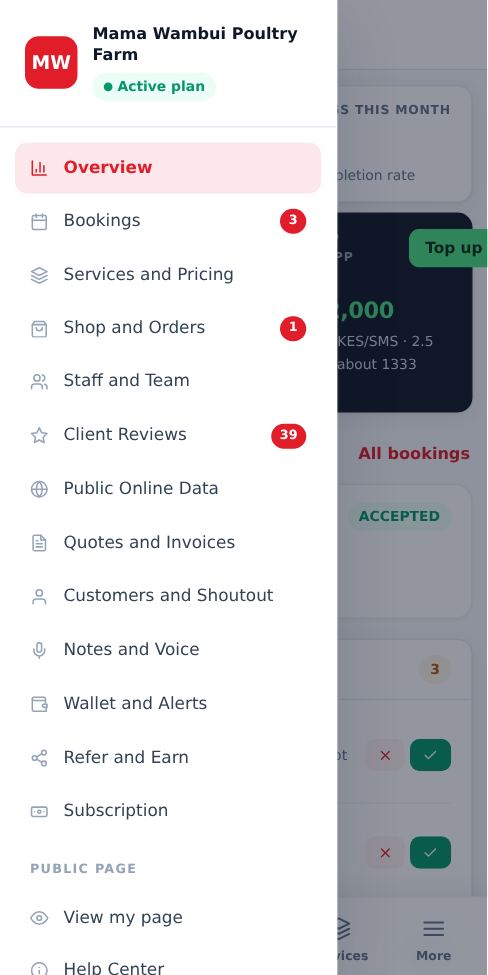
In your dashboard, open the menu (More on a phone) and tap Public Online Data.
-
2
Logo, description and location
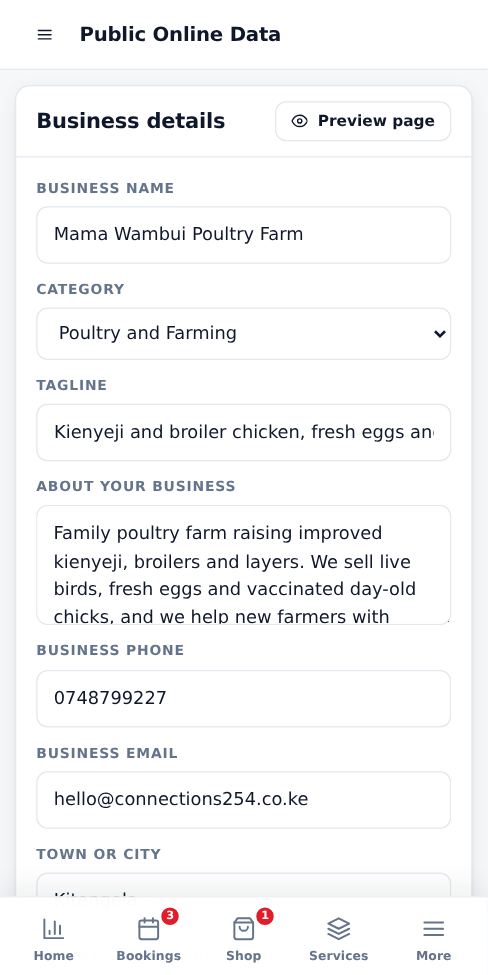
Upload a clear logo, write a short tagline and a description of what you do, and add your town and street. This text also helps you appear on Google.
-
3
Working hours and booking rules
Switch each day on or off and set opening and closing times. Time slot spacing sets how often a new booking can start (15 minutes by default, so 8:00, 8:15, 8:30). Minimum notice stops last-minute bookings.
-
4
Social media and links
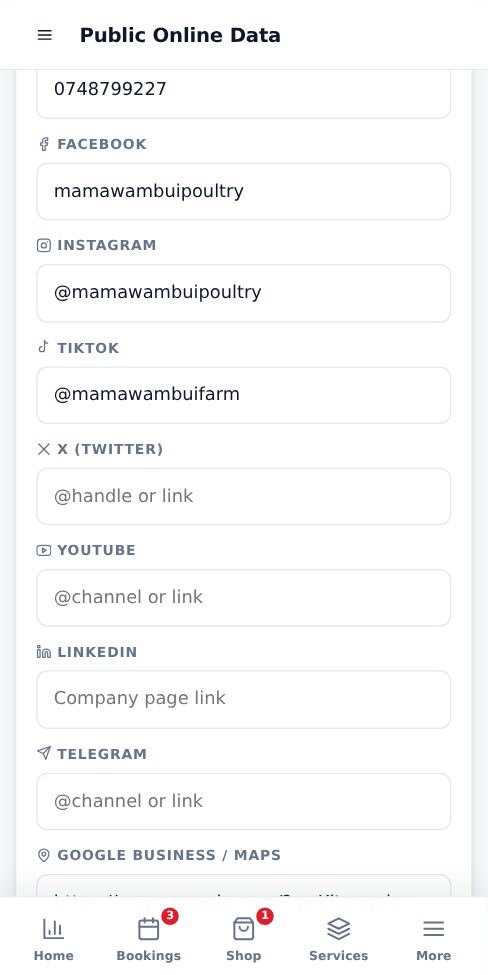
Add WhatsApp, Facebook, Instagram, TikTok, X, YouTube, LinkedIn, Telegram, your Google Maps listing and your website. Paste a link or just your @handle. They appear on your page under Follow and verify.
-
5
Save and preview
Tap Save at the bottom, then use View my page in the menu to see it the way customers do.
- Businesses with a logo, description and at least one social link get more bookings, because customers can confirm they are real.
More guides for business owners
Did this answer your question?
If not, contact our support team. WhatsApp is the fastest.