How to book a service
Find a business, pick a time that suits you and send your booking in under a minute.
-
1
Find a business
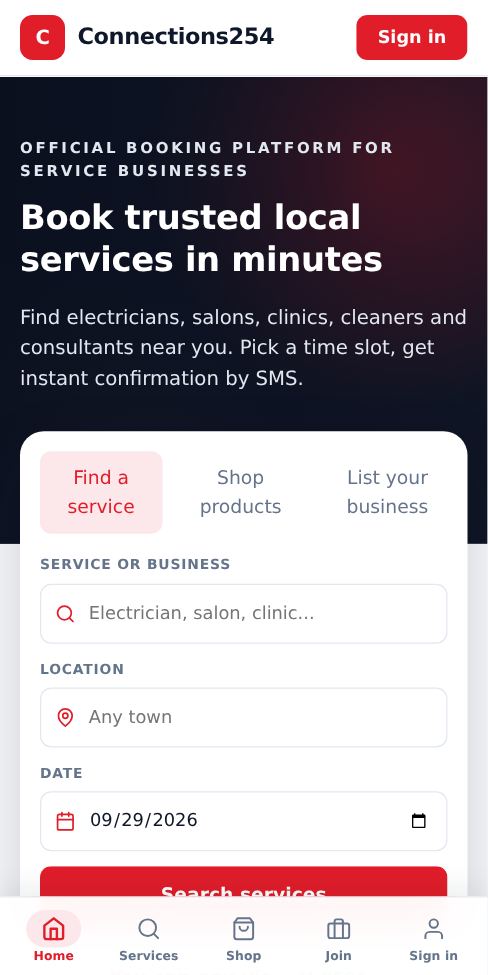
On the home page, type what you need (for example "electrician" or "salon") and your area, then tap Search. You can also tap a category, or open Services in the bottom menu.
-
2
Compare and open a business
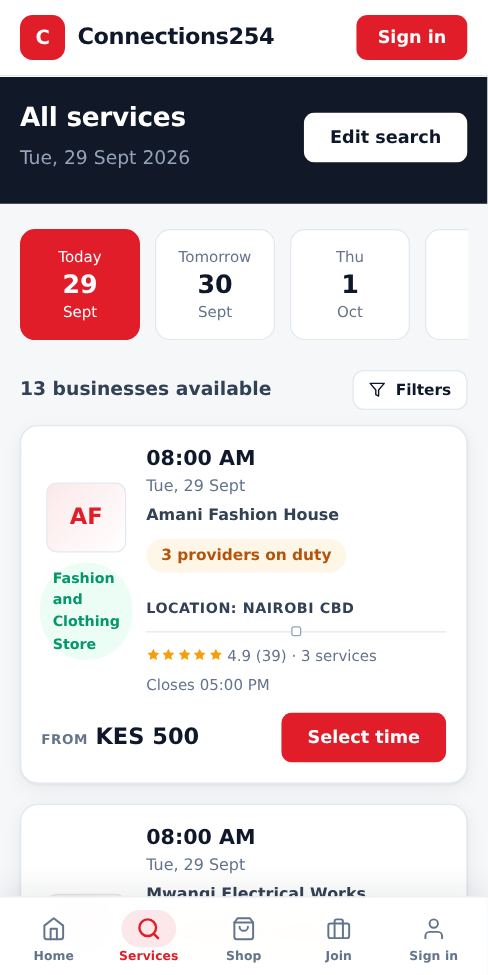
Each result shows the rating, number of reviews, opening hours and starting price. Tap a business to open its booking page.
-
3
Choose the service
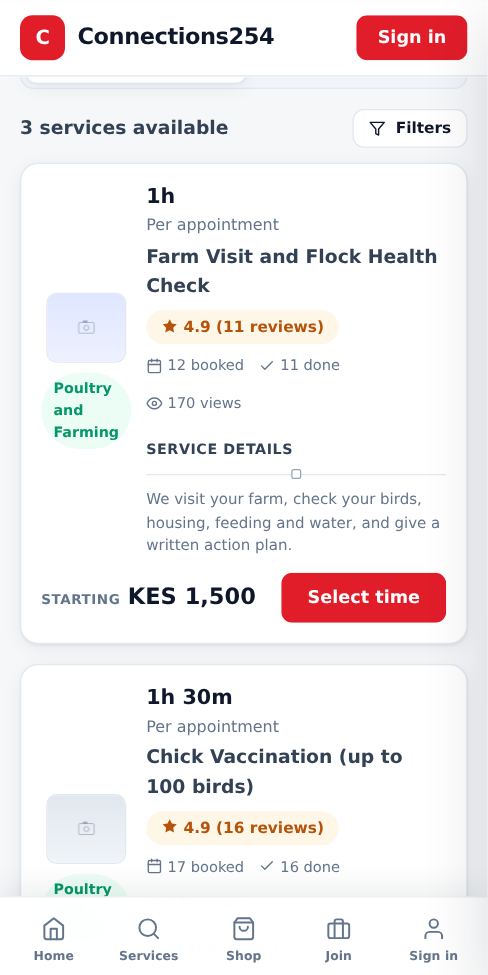
Scroll to the service you want. You can see its price, duration, reviews and how many people have booked it. Tap Select time.
-
4
Pick a date and time
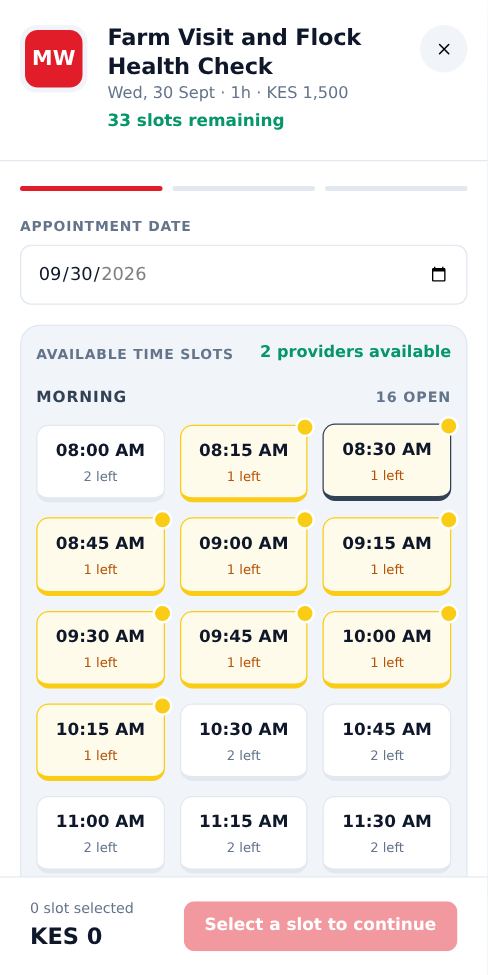
Choose a date at the top, then tap a free time. Times are grouped into Morning, Afternoon and Evening. Grey times are full or already passed. "Few left" means only one or two people can still book that time.
-
5
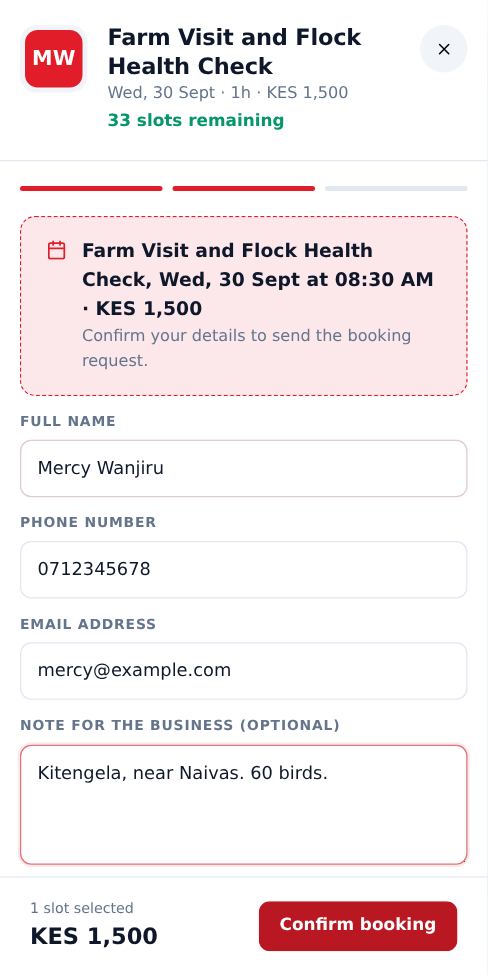
Enter your details
Type your name, phone number and email. Add a note if the business needs directions or details about the job. Tap Confirm booking.
-
6
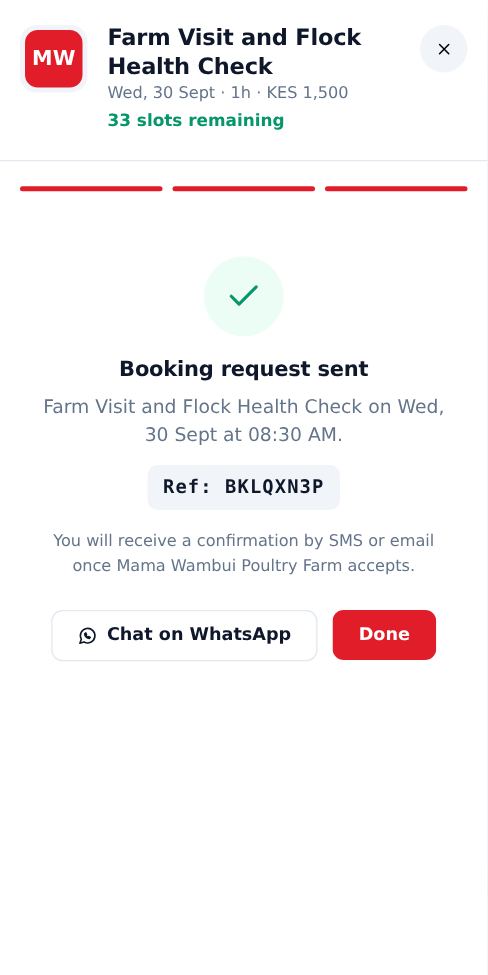
Wait for confirmation
Your request goes straight to the business. You get a message when they accept it. If your plans change, call or WhatsApp the business using the buttons on its page.
- You do not need an account to book.
- Use a phone number you can receive SMS on, so you get the confirmation.
- Prices shown are starting prices. The business confirms the final price for bigger jobs.
More guides for customers
Did this answer your question?
If not, contact our support team. WhatsApp is the fastest.