How to check that a business or seller is genuine
Use ratings, verified reviews, completed jobs and official social pages before you book or buy.
3 steps · about 1 minute
-
1
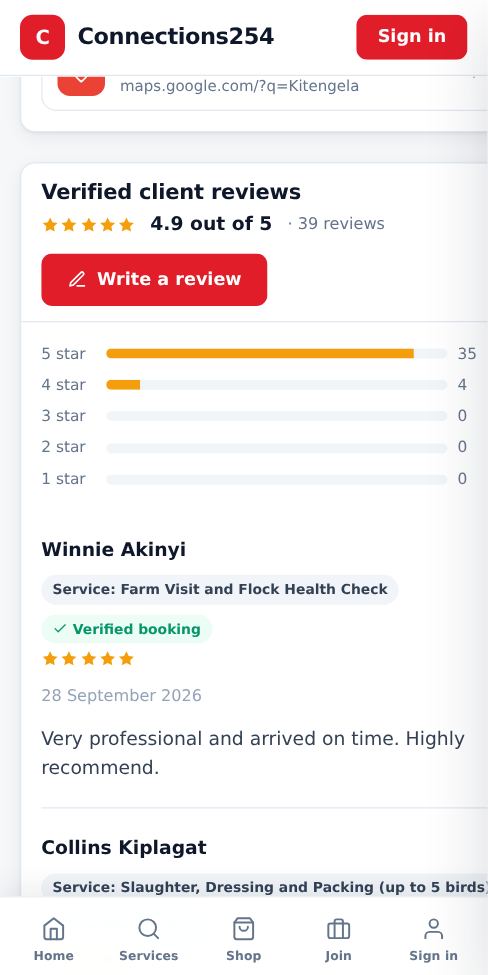
Look at the rating and reviews
Ratings come from customers. Reviews marked Verified booking come from people who actually booked that service through Connections254.
-
2
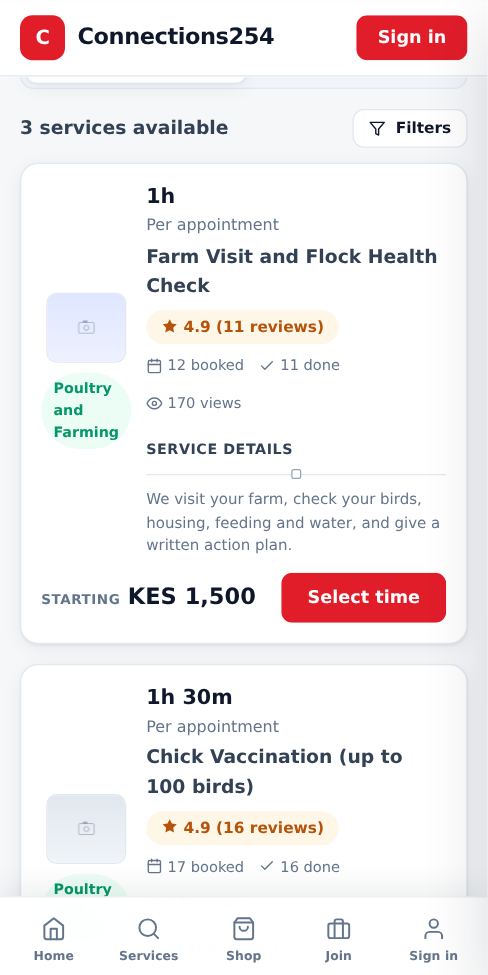
Check completed jobs and activity
The business page shows how many jobs were completed. Each service shows how many times it was booked and viewed, and each product shows its views and orders.
-
3
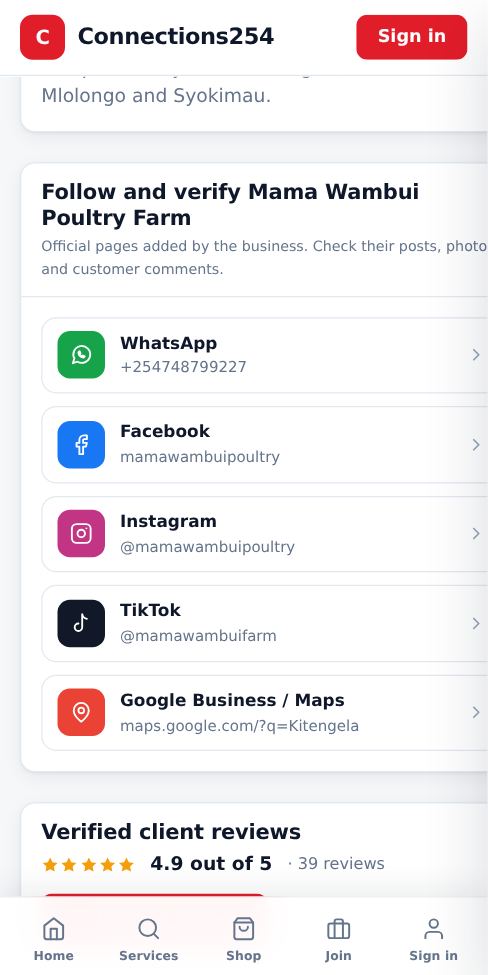
Follow and verify
Many businesses add their Facebook, Instagram, TikTok, Google Maps or website. Open them from the Follow and verify section to see real photos, posts and customer comments.
Good to know
- Never send money to a number that is different from the one on the business page.
- If something looks wrong, contact support using the phone or email at the bottom of every page.
More guides for customers
How to book a service
Find a business, pick a time that suits you and send your booking in under a minute.
How to order a product from the Shop
Browse products from local sellers and order directly on WhatsApp, by phone or with a call-back request.
Contact Connections254 support
Reach our team on WhatsApp, by phone, SMS or email, or send a request from any page.
How to write or edit a review
Share your experience with a service. Reviews help other customers choose well.
Install the Connections254 app on your phone or computer
Add Connections254 to your home screen. It opens full screen like an app and keeps you signed in.
Did this answer your question?
If not, contact our support team. WhatsApp is the fastest.