How to write or edit a review
Share your experience with a service. Reviews help other customers choose well.
3 steps · about 1 minute
-
1
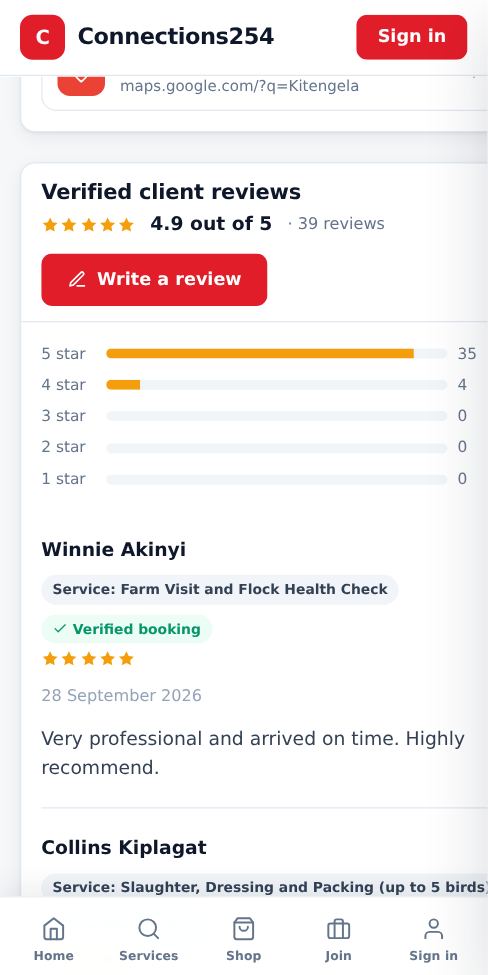
Open Write a review
On the business page, scroll to Verified client reviews and tap Write a review.
-
2
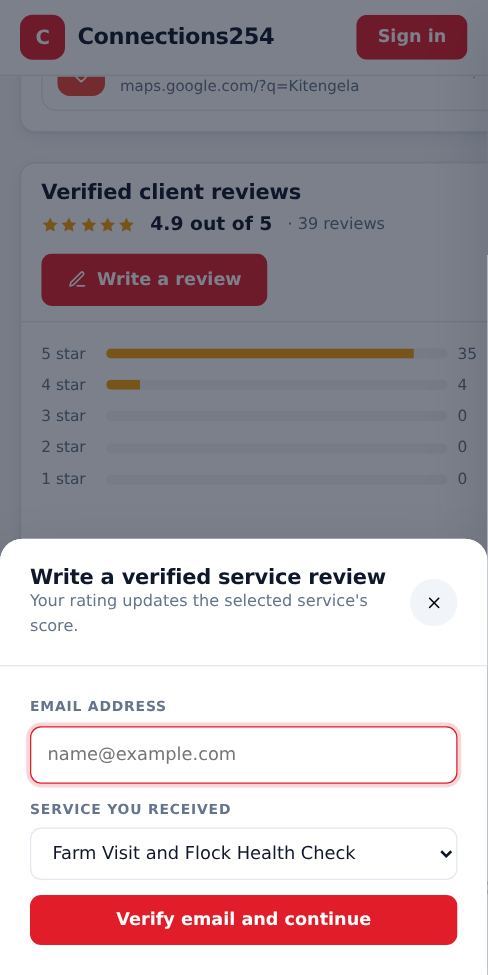
Choose the service and rate it
Pick the service you received, enter the email you booked with, choose 1 to 5 stars and write a short comment. If you booked with that email, your review shows a Verified booking badge.
-
3
Edit later with a private link
You can review each service once. To change it, start a review again with the same email. We send a private edit link to your inbox that works for 48 hours.
Good to know
- Be specific: what was done, was it on time, was the price fair.
More guides for customers
How to book a service
Find a business, pick a time that suits you and send your booking in under a minute.
How to order a product from the Shop
Browse products from local sellers and order directly on WhatsApp, by phone or with a call-back request.
Contact Connections254 support
Reach our team on WhatsApp, by phone, SMS or email, or send a request from any page.
How to check that a business or seller is genuine
Use ratings, verified reviews, completed jobs and official social pages before you book or buy.
Install the Connections254 app on your phone or computer
Add Connections254 to your home screen. It opens full screen like an app and keeps you signed in.
Did this answer your question?
If not, contact our support team. WhatsApp is the fastest.