Add staff and choose what they can see
Give each staff member their own sign-in and limit them to the menus they need.
4 steps · about 2 minutes
-
1
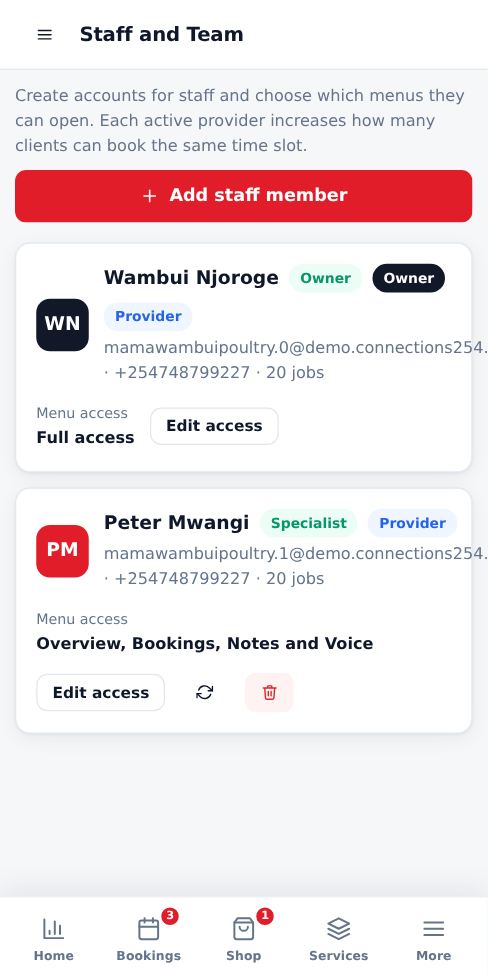
Open Staff and Team
From the menu, tap Staff and Team, then Add staff member.
-
2
Details and permissions
Enter their name, email and phone. Tick the menus they can open, for example Bookings and Notes only. They cannot see your wallet, billing or referral earnings unless you allow it.
-
3
Providers and capacity
Turn on Provider for staff who serve customers. Each active provider lets one more customer book the same time slot.
-
4
Sign-in details
The staff member receives their sign-in details by email and phone. They are asked to set their own password when they first sign in.
Good to know
- When someone leaves, edit their account and switch it to inactive so they can no longer sign in. Their past bookings are kept.
More guides for business owners
Register your business and go live
Create your booking page in three steps and pay for as many months as you want by M-Pesa.
Signing in, security codes and one account per browser
How sign-in works, what the security code is, and how to switch accounts safely.
Run several businesses from one account
Add another business, for example electrical and hardware, and switch between them with one sign-in.
Set up your public page, hours and social links
Add your logo, description, working hours, booking rules and social media so customers trust you.
Add and price your services
List what customers can book, how long each job takes and what it costs.
Accept, complete and manage bookings
Respond to new requests, assign staff and mark jobs complete so your calendar stays accurate.
Did this answer your question?
If not, contact our support team. WhatsApp is the fastest.