Make contracts and get them signed online
Pick a template, fill in the client, sign, and send. The client signs on their phone and both of you get the signed copy by email.
-
1
Pick a template
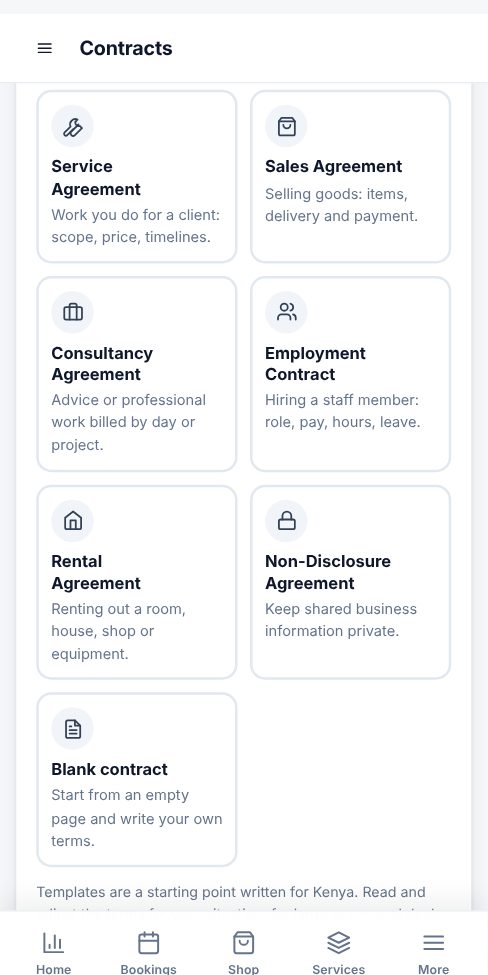
Open Contracts and tap a template: Service, Sales, Consultancy, Employment, Rental, Non-Disclosure or Blank. The terms are filled in for you.
-
2
Fill in the client and terms
Type the client name, email and phone, then the dates and amount. Read the text and replace anything in [square brackets]. Words like {client} and {amount} fill in automatically.
-
3
Sign for your business
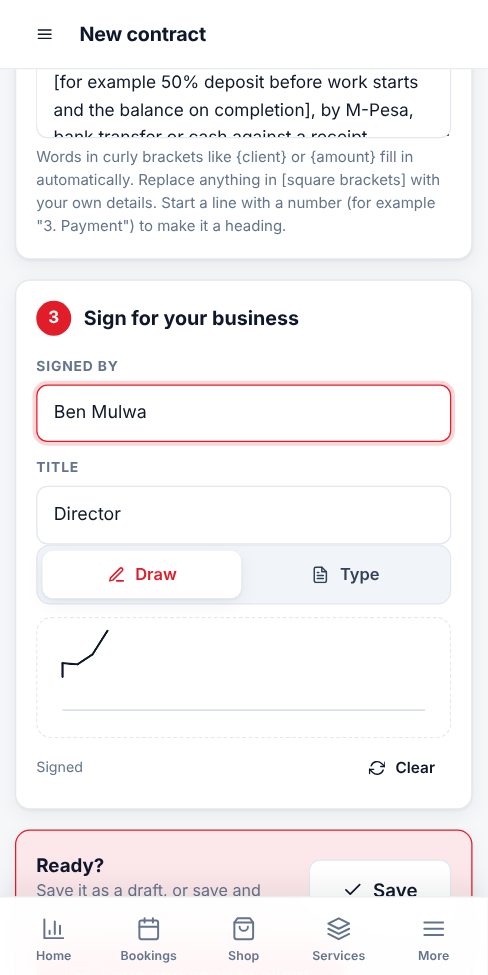
Sign in the box with your finger or mouse, or tap Type to use your typed name. Your name and title appear under the signature.
-
4
Send it
Tap Save and send to client to email it, or open the contract and use WhatsApp, Download PDF, Print or Copy signing link. The progress bar shows when it was sent, opened and signed.
-
5
The client signs
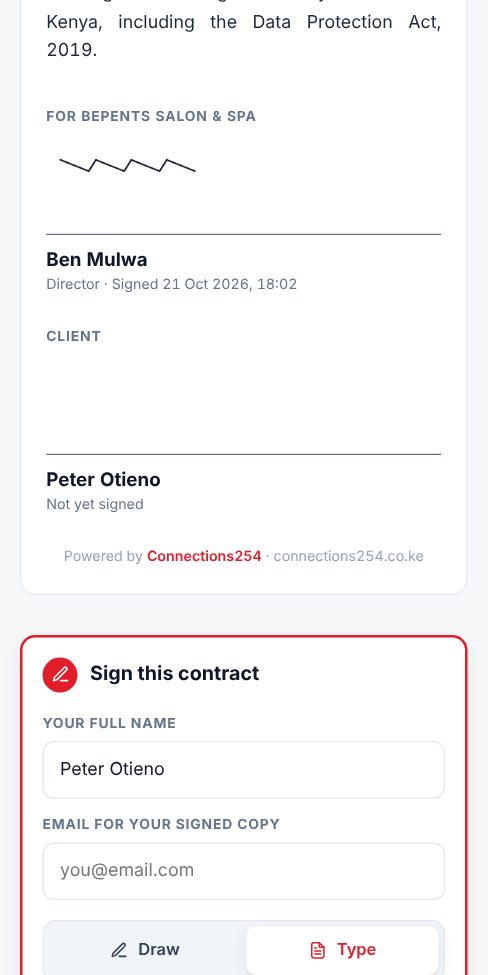
The client opens the link, reads the contract, types their name, signs and ticks I agree. They can download or print it. Both of you get the signed copy by email straight away, and the contract is locked.
- Staff can make contracts too if you tick Contracts for them under Staff and Team.
- Need to change a signed contract? Tap Duplicate to make a new version and send that.
- Every signed contract records the time, the client's device address and a fingerprint of the text, printed on the PDF.
More guides for business owners
Did this answer your question?
If not, contact our support team. WhatsApp is the fastest.