Make and send payslips
Branded payslips with PAYE, NSSF, SHIF and Housing Levy worked out for you, sent by WhatsApp or email.
-
1
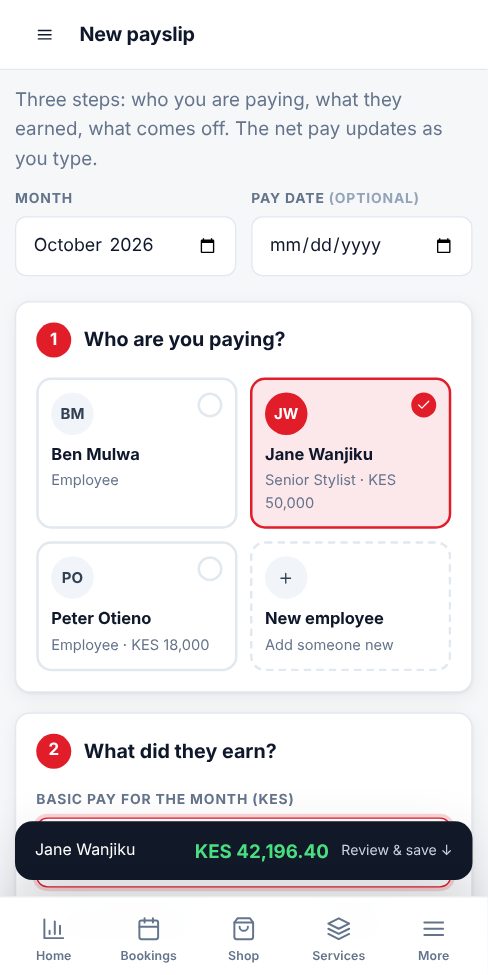
Pick who you are paying
Open Payslips and tap New payslip. Choose the month, then tap the employee. New person? Tap New employee and type their name. Phone and email are optional but let you send the payslip in one tap.
-
2
Enter what they earned
Type the basic pay. Tap House allowance, Transport, Overtime or any other chip to add an earning, then type the amount.
-
3
Check what comes off
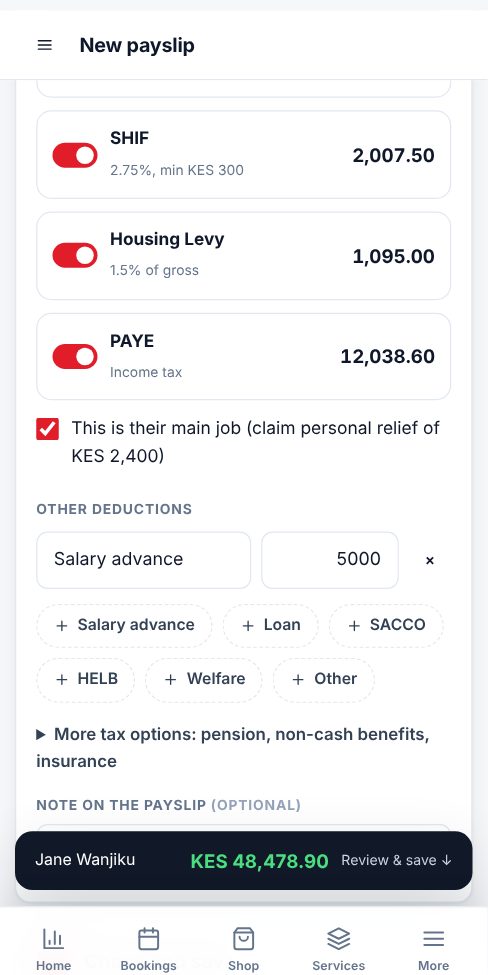
NSSF, SHIF, Housing Levy and PAYE are worked out at the current Kenyan rates and shown on each tile. Switch off any that do not apply, for example for a casual worker. Tap Loan, Salary advance, SACCO or HELB to add other deductions.
-
4
Save and send
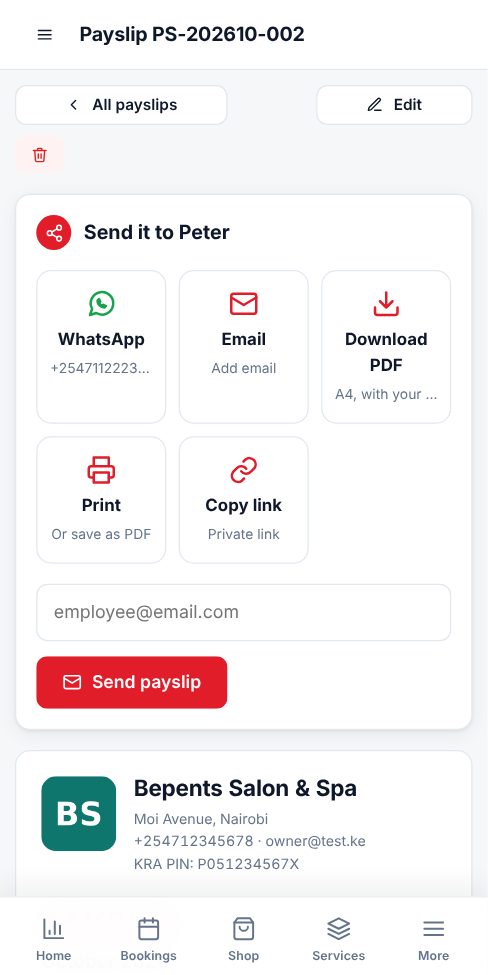
The net pay updates as you type (on a phone it shows in the dark bar at the bottom). Tap Create payslip, then WhatsApp, Email, Download PDF or Print. Your logo and business details are on every payslip.
-
5
Next month: one tap
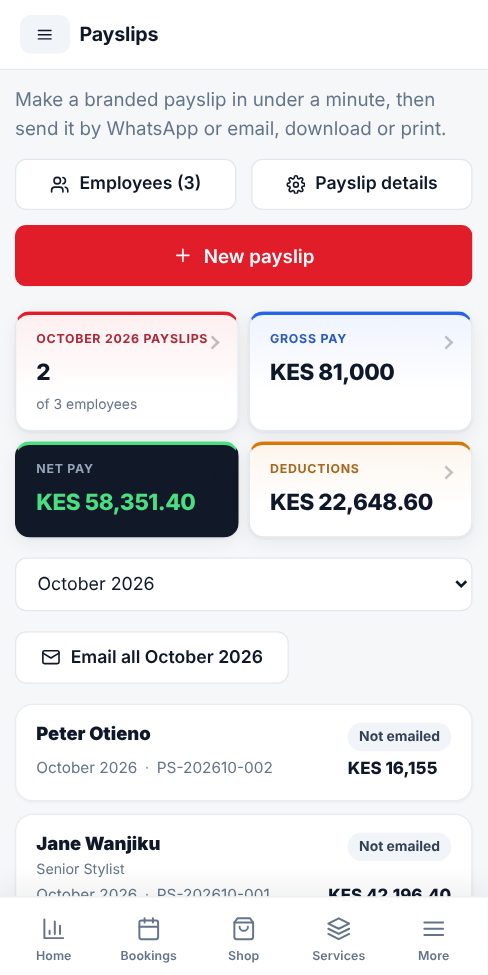
Keep Remember these amounts ticked. Next month the Payslips page offers Make all, which creates everyone's payslip from their saved pay. Then tap Email all. Tap any payslip in the list to open it.
- Add your KRA PIN and the name of the person who signs payslips in Payslip details.
- Payslips are private. Only you and the employee with the link can open them.
- Payroll is for the business owner only. Staff accounts cannot see it.
More guides for business owners
Did this answer your question?
If not, contact our support team. WhatsApp is the fastest.