Subscription, renewals and reminders
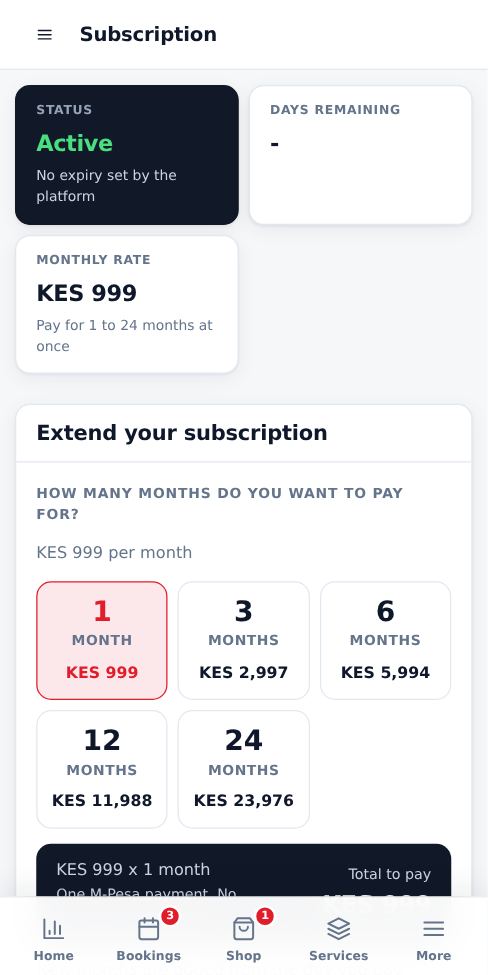
Your page costs KES 999 per month. Renew for any number of months at once.
3 steps · about 1 minute
-
1
Check your expiry date
Your dashboard shows Active to and the date. Open Subscription to see your payment history.
-
2
Renew
Choose 1, 3, 6, 12 or 24 months and the M-Pesa number to send the prompt to. Check the summary, go back to edit if needed, then confirm and pay. New months are added to your current expiry date, so you never lose days by renewing early.
-
3
Reminders
We remind you by SMS and email 5 days before your subscription ends. If it expires, your page is hidden until you renew. Your data is kept.
More guides for business owners
Register your business and go live
Create your booking page in three steps and pay for as many months as you want by M-Pesa.
Signing in, security codes and one account per browser
How sign-in works, what the security code is, and how to switch accounts safely.
Run several businesses from one account
Add another business, for example electrical and hardware, and switch between them with one sign-in.
Set up your public page, hours and social links
Add your logo, description, working hours, booking rules and social media so customers trust you.
Get your business found on Google
Your page is listed on Google automatically. These steps help it rank higher for searches like "cleaners in Nairobi".
Add and price your services
List what customers can book, how long each job takes and what it costs.
Did this answer your question?
If not, contact our support team. WhatsApp is the fastest.